介绍 react.dev
2023年3月16日,由 Dan Abramov 和 Rachel Nabors 撰写
🌐 March 16, 2023 by Dan Abramov and Rachel Nabors
今天我们很高兴推出 react.dev,这是 React 及其文档的新主页。在这篇文章中,我们想带你参观一下新网站。
🌐 Today we are thrilled to launch react.dev, the new home for React and its documentation. In this post, we would like to give you a tour of the new site.
tl;dr
- 新的 React 网站 (react.dev) 使用函数组件和 Hooks 教授现代 React。
- 我们包括了图表、插图、挑战以及超过600个新的交互式示例。
- 之前的 React 文档网站现在已迁移到 legacy.reactjs.org。
新网站,新域名,新主页
🌐 New site, new domain, new homepage
首先,先处理一些日常事务。
🌐 First, a little bit of housekeeping.
为了庆祝新文档的发布,更重要的是为了清晰地区分旧内容和新内容,我们已迁移到更短的 react.dev 域名。旧的 reactjs.org 域名现在将重定向到这里。
🌐 To celebrate the launch of the new docs and, more importantly, to clearly separate the old and the new content, we’ve moved to the shorter react.dev domain. The old reactjs.org domain will now redirect here.
旧的 React 文档现在已归档在 legacy.reactjs.org。所有指向旧内容的现有链接都会自动重定向到那里,以避免“破坏网络”,但旧网站不会有太多新的更新。
🌐 The old React docs are now archived at legacy.reactjs.org. All existing links to the old content will automatically redirect there to avoid “breaking the web”, but the legacy site will not get many more updates.
信不信由你,React 很快就要十岁了。在 JavaScript 的时间里,这就像一个世纪!我们刷新了 React 首页,以体现我们为什么认为 React 是今天创建用户界面的绝佳方式,并更新了入门指南,以更突出地提到基于现代 React 的框架。
🌐 Believe it or not, React will soon be ten years old. In JavaScript years, it’s like a whole century! We’ve refreshed the React homepage to reflect why we think React is a great way to create user interfaces today, and updated the getting started guides to more prominently mention modern React-based frameworks.
如果你还没有看到新的首页,去看看吧!
🌐 If you haven’t seen the new homepage yet, check it out!
全力投入使用现代 React 和 Hooks
🌐 Going all-in on modern React with Hooks
当我们在2018年发布React Hooks时,Hooks文档假定读者熟悉类组件。这帮助社区迅速采用了Hooks,但过了一段时间,旧文档无法满足新读者的需求。新读者不得不学习React两次:一次是使用类组件,一次是使用Hooks。
🌐 When we released React Hooks in 2018, the Hooks docs assumed the reader is familiar with class components. This helped the community adopt Hooks very swiftly, but after a while the old docs failed to serve the new readers. New readers had to learn React twice: once with class components and then once again with Hooks.
新的文档从一开始就用 Hooks 教学 React。 文档分为两个主要部分:
让我们仔细看看你可以在每个部分找到什么。
🌐 Let’s have a closer look at what you can find in each section.
快速开始
🌐 Quick start
“学习”部分从 快速入门 页面开始。它是对 React 的简短入门导览。它介绍了组件、属性(props)和状态(state)等概念的语法,但没有详细说明如何使用它们。
🌐 The Learn section begins with the Quick Start page. It is a short introductory tour of React. It introduces the syntax for concepts like components, props, and state, but doesn’t go into much detail on how to use them.
如果你喜欢通过实践学习,我们建议接下来查看Tic-Tac-Toe 教程。它将引导你使用 React 构建一个小游戏,同时教授你每天都会使用的技能。以下是你将要构建的内容:
🌐 If you like to learn by doing, we recommend checking out the Tic-Tac-Toe Tutorial next. It walks you through building a little game with React, while teaching the skills you’ll use every day. Here’s what you’ll build:
import { useState } from 'react';

function Square({ value, onSquareClick }) {
  return (
    <button className="square" onClick={onSquareClick}>
      {value}
    </button>
  );
}

function Board({ xIsNext, squares, onPlay }) {
  function handleClick(i) {
    if (calculateWinner(squares) || squares[i]) {
      return;
    }
    const nextSquares = squares.slice();
    if (xIsNext) {
      nextSquares[i] = 'X';
    } else {
      nextSquares[i] = 'O';
    }
    onPlay(nextSquares);
  }

  const winner = calculateWinner(squares);
  let status;
  if (winner) {
    status = 'Winner: ' + winner;
  } else {
    status = 'Next player: ' + (xIsNext ? 'X' : 'O');
  }

  return (
    <>
      <div className="status">{status}</div>
      <div className="board-row">
        <Square value={squares[0]} onSquareClick={() => handleClick(0)} />
        <Square value={squares[1]} onSquareClick={() => handleClick(1)} />
        <Square value={squares[2]} onSquareClick={() => handleClick(2)} />
      </div>
      <div className="board-row">
        <Square value={squares[3]} onSquareClick={() => handleClick(3)} />
        <Square value={squares[4]} onSquareClick={() => handleClick(4)} />
        <Square value={squares[5]} onSquareClick={() => handleClick(5)} />
      </div>
      <div className="board-row">
        <Square value={squares[6]} onSquareClick={() => handleClick(6)} />
        <Square value={squares[7]} onSquareClick={() => handleClick(7)} />
        <Square value={squares[8]} onSquareClick={() => handleClick(8)} />
      </div>
    </>
  );
}

export default function Game() {
  const [history, setHistory] = useState([Array(9).fill(null)]);
  const [currentMove, setCurrentMove] = useState(0);
  const xIsNext = currentMove % 2 === 0;
  const currentSquares = history[currentMove];

  function handlePlay(nextSquares) {
    const nextHistory = [...history.slice(0, currentMove + 1), nextSquares];
    setHistory(nextHistory);
    setCurrentMove(nextHistory.length - 1);
  }

  function jumpTo(nextMove) {
    setCurrentMove(nextMove);
  }

  const moves = history.map((squares, move) => {
    let description;
    if (move > 0) {
      description = 'Go to move #' + move;
    } else {
      description = 'Go to game start';
    }
    return (
      <li key={move}>
        <button onClick={() => jumpTo(move)}>{description}</button>
      </li>
    );
  });

  return (
    <div className="game">
      <div className="game-board">
        <Board xIsNext={xIsNext} squares={currentSquares} onPlay={handlePlay} />
      </div>
      <div className="game-info">
        <ol>{moves}</ol>
      </div>
    </div>
  );
}

function calculateWinner(squares) {
  const lines = [
    [0, 1, 2],
    [3, 4, 5],
    [6, 7, 8],
    [0, 3, 6],
    [1, 4, 7],
    [2, 5, 8],
    [0, 4, 8],
    [2, 4, 6],
  ];
  for (let i = 0; i < lines.length; i++) {
    const [a, b, c] = lines[i];
    if (squares[a] && squares[a] === squares[b] && squares[a] === squares[c]) {
      return squares[a];
    }
  }
  return null;
}
我们还想强调一下 Thinking in React—那是让我们许多人对 React “豁然开朗”的教程。**我们已经更新了这两个经典教程,以使用函数组件和 Hooks,**因此它们就像全新的一样好。
🌐 We’d also like to highlight Thinking in React—that’s the tutorial that made React “click” for many of us. We’ve updated both of these classic tutorials to use function components and Hooks, so they’re as good as new.
一步步学习 React
🌐 Learn React step by step
我们希望世界上的每个人都有平等的机会免费自主学习 React。
🌐 We’d like everyone in the world to have an equal opportunity to learn React for free on their own.
这就是为什么“学习”部分被组织成像自学课程一样分成章节的原因。前两章描述了 React 的基础知识。如果你是 React 新手,或者想在记忆中复习一下,可以从这里开始:
🌐 This is why the Learn section is organized like a self-paced course split into chapters. The first two chapters describe the fundamentals of React. If you’re new to React, or want to refresh it in your memory, start here:
接下来的两章更为进阶,将让你对较棘手的部分有更深入的了解:
🌐 The next two chapters are more advanced, and will give you a deeper insight into the trickier parts:
每一章都由若干相关的页面组成。这些页面中的大多数教授特定的技能或技术——例如,使用 JSX 编写标记、更新状态中的对象或在组件之间共享状态。有些页面侧重于解释一个概念——比如 渲染与提交 或 状态作为快照。还有一些页面,比如 你可能不需要副作用,分享了我们这些年来根据经验提出的建议。
🌐 Every chapter consists of several related pages. Most of these pages teach a specific skill or a technique—for example, Writing Markup with JSX, Updating Objects in State, or Sharing State Between Components. Some of the pages focus on explaining an idea—like Render and Commit, or State as a Snapshot. And there are a few, like You Might Not Need an Effect, that share our suggestions based on what we’ve learned over these years.
你不必按顺序阅读这些章节。谁有时间这样做?!但你可以。学习部分的页面只依赖于前面页面介绍的概念。如果你想像读书一样读它,尽管去吧!
🌐 You don’t have to read these chapters as a sequence. Who has the time for this?! But you could. Pages in the Learn section only rely on concepts introduced by the earlier pages. If you want to read it like a book, go for it!
通过挑战检验你的理解
🌐 Check your understanding with challenges
学习部分的大多数页面最后都会有一些挑战题来检查你的理解。例如,这里是关于条件渲染页面的一些挑战题。
🌐 Most pages in the Learn section end with a few challenges to check your understanding. For example, here are a few challenges from the page about Conditional Rendering.
你现在不必去解决它们!除非你真的想要。
🌐 You don’t have to solve them right now! Unless you really want to.
挑战 1 of 2: 使用 ? : 显示未完成项目的图标
🌐 Show an icon for incomplete items with ? :
使用条件运算符(cond ? a : b)在 isPacked 不是 true 时渲染❌。
🌐 Use the conditional operator (cond ? a : b) to render a ❌ if isPacked isn’t true.
function Item({ name, isPacked }) {
  return (
    <li className="item">
      {name} {isPacked && '✅'}
    </li>
  );
}

export default function PackingList() {
  return (
    <section>
      <h1>Sally Ride's Packing List</h1>
      <ul>
        <Item
          isPacked={true}
          name="Space suit"
        />
        <Item
          isPacked={true}
          name="Helmet with a golden leaf"
        />
        <Item
          isPacked={false}
          name="Photo of Tam"
        />
      </ul>
    </section>
  );
}
注意左下角的“显示解决方案”按钮。如果你想自己检查,它很方便!
🌐 Notice the “Show solution” button in the left bottom corner. It’s handy if you want to check yourself!
通过图表和插图建立直觉
🌐 Build an intuition with diagrams and illustrations
当我们无法仅用代码和文字解释某些内容时,我们会添加一些图表来帮助提供直觉。例如,这里有一张来自 Preserving and Resetting State 的图表:
🌐 When we couldn’t figure out how to explain something with code and words alone, we’ve added diagrams that help provide some intuition. For example, here is one of the diagrams from Preserving and Resetting State:


当 section 变为 div 时,section 会被删除,新的 div 会被添加
🌐 When section changes to div, the section is deleted and the new div is added
你还会在文档中看到一些插图——这是其中一张 浏览器绘制屏幕 的插图:
🌐 You’ll also see some illustrations throughout the docs—here’s one of the browser painting the screen:
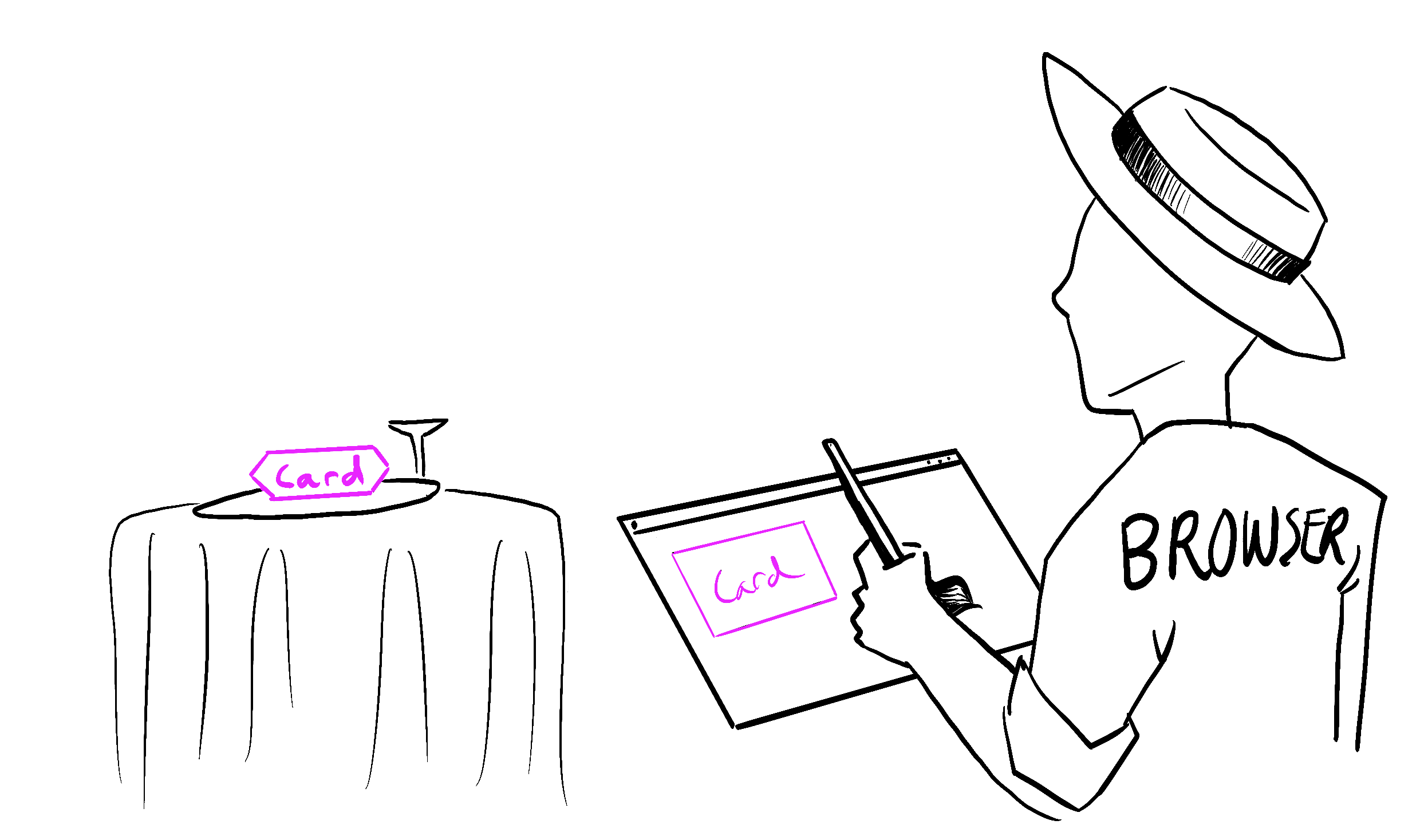
Illustrated by Rachel Lee Nabors
我们已经与浏览器供应商确认,这种描述在科学上是100%准确的。
🌐 We’ve confirmed with the browser vendors that this depiction is 100% scientifically accurate.
一个新的、详细的 API 参考
🌐 A new, detailed API Reference
在 API 参考 中,每个 React API 现在都有一个专门的页面。这包括各种类型的 API:
🌐 In the API Reference, every React API now has a dedicated page. This includes all kinds of APIs:
- 内置钩子,例如
useState。 - 内置组件,如
<Suspense>。 - 内置的浏览器组件,如
<input>。 - 面向框架的 APIs,如
renderToPipeableStream。 - 其他 React API,如
memo。
你会注意到,每个 API 页面至少分成两个部分:参考 和 用法。
🌐 You’ll notice that every API page is split into at least two segments: Reference and Usage.
参考 通过列出其参数和返回值来描述正式的 API 签名。它简洁,但如果你不熟悉该 API,可能会感觉有些抽象。它描述了 API 的功能,但没有说明如何使用它。
用法 展示了在实际中为什么以及如何使用这个 API,就像同事或朋友可能会解释的一样。它展示了 React 团队设计每个 API 的标准使用场景。 我们添加了颜色编码的代码片段、不同 API 组合使用的示例,以及可以直接复制粘贴的操作方法:
例子 1 of 4: 计数器(数字)
🌐 Counter (number)
在这个例子中,count 状态变量保存一个数字。点击按钮会使其增加。
🌐 In this example, the count state variable holds a number. Clicking the button increments it.
import { useState } from 'react';

export default function Counter() {
  const [count, setCount] = useState(0);

  function handleClick() {
    setCount(count + 1);
  }

  return (
    <button onClick={handleClick}>
      You pressed me {count} times
    </button>
  );
}
一些 API 页面还包括 故障排除(针对常见问题)和 替代方案(针对已弃用的 API)。
🌐 Some API pages also include Troubleshooting (for common problems) and Alternatives (for deprecated APIs).
我们希望这种方法不仅能使 API 参考作为查找参数的途径有用,还能作为查看你可以用任何给定 API 做的所有不同事情的方式——以及它如何与其他 API 连接的方式。
🌐 We hope that this approach will make the API reference useful not only as a way to look up an argument, but as a way to see all the different things you can do with any given API—and how it connects to the other ones.
下一步是什么?
🌐 What’s next?
我们的小小巡演就到此为止!浏览一下新网站,看看你喜欢或不喜欢的地方,并继续在我们的问题追踪器中提交反馈。
🌐 That’s a wrap for our little tour! Have a look around the new website, see what you like or don’t like, and keep the feedback coming in our issue tracker.
我们承认这个项目花了很长时间才发布。我们希望保持 React 社区应得的高质量标准。在编写这些文档和创建所有示例的过程中,我们发现自己的一些解释存在错误、React 中存在 bug,甚至在 React 设计中存在一些空白,我们现在正在努力解决这些问题。我们希望新的文档能够帮助我们在未来对 React 本身提出更高的标准。
🌐 We acknowledge this project has taken a long time to ship. We wanted to maintain a high quality bar that the React community deserves. While writing these docs and creating all of the examples, we found mistakes in some of our own explanations, bugs in React, and even gaps in the React design that we are now working to address. We hope that the new documentation will help us hold React itself to a higher bar in the future.
我们听到了许多你关于扩展网站内容和功能的请求,例如:
🌐 We’ve heard many of your requests to expand the content and functionality of the website, for example:
- 为所有示例提供 TypeScript 版本;
- 创建更新后的性能、测试和可访问性指南;
- 独立于支持它们的框架来记录 React 服务器组件;
- 与我们的国际社区合作,将新文件翻译出来;
- 为新网站添加缺失的功能(例如,为此博客添加 RSS)。
现在 react.dev 已经发布,我们将能够把注意力从“赶上”第三方 React 教育资源转向添加新信息并进一步改进我们的网站。
🌐 Now that react.dev is out, we will be able to shift our focus from “catching up” with the third-party React educational resources to adding new information and further improving our new website.
我们认为,从来没有比现在更好的时间来学习 React。
🌐 We think there’s never been a better time to learn React.
谁做了这个?
🌐 Who worked on this?
在 React 团队中,Rachel Nabors 负责领导该项目(并提供插图),而 Dan Abramov 设计了课程。他们还共同撰写了大部分内容。
🌐 On the React team, Rachel Nabors led the project (and provided the illustrations), and Dan Abramov designed the curriculum. They co-authored most of the content together as well.
当然,没有这么大的项目是孤立完成的。我们有很多人要感谢!
🌐 Of course, no project this large happens in isolation. We have a lot of people to thank!
Sylwia Vargas 对我们的示例进行了彻底改造,不再使用“foo/bar/baz”和小猫,而是展示来自世界各地的科学家、艺术家和城市。Maggie Appleton 将我们的涂鸦变成了一个清晰的图表系统。
感谢 David McCabe、Sophie Alpert、Rick Hanlon、Andrew Clark 和 Matt Carroll 的额外写作贡献。我们还要感谢 Natalia Tepluhina 和 Sebastian Markbåge 提供的想法和反馈。
🌐 Thanks to David McCabe, Sophie Alpert, Rick Hanlon, Andrew Clark, and Matt Carroll for additional writing contributions. We’d also like to thank Natalia Tepluhina and Sebastian Markbåge for their ideas and feedback.
感谢 Dan Lebowitz 的网站设计以及 Razvan Gradinar 的沙盒设计。
🌐 Thanks to Dan Lebowitz for the site design and Razvan Gradinar for the sandbox design.
在开发方面,感谢Jared Palmer进行原型开发。感谢ThisDotLabs的Dane Grant和Dustin Goodman在UI开发上的支持。感谢CodeSandbox的Ives van Hoorne、Alex Moldovan、Jasper De Moor和Danilo Woznica在沙盒集成方面的工作。感谢Rick Hanlon进行局部开发和设计工作,完善我们的颜色和细节。感谢Harish Kumar和Luna Ruan为网站新增功能并协助维护。
🌐 On the development front, thanks to Jared Palmer for prototype development. Thanks to Dane Grant and Dustin Goodman from ThisDotLabs for their support on UI development. Thanks to Ives van Hoorne, Alex Moldovan, Jasper De Moor, and Danilo Woznica from CodeSandbox for their work with sandbox integration. Thanks to Rick Hanlon for spot development and design work, finessing our colors and finer details. Thanks to Harish Kumar and Luna Ruan for adding new features to the site and helping maintain it.
非常感谢那些自愿花时间参与 Alpha 和 Beta 测试计划的人。你们的热情和宝贵的反馈帮助我们完善了这些文档。特别感谢我们的 Beta 测试员 Debbie O’Brien,她在 2021 年的 React Conf 上分享了使用 React 文档的体验。
🌐 Huge thanks to the folks who volunteered their time to participate in the alpha and beta testing program. Your enthusiasm and invaluable feedback helped us shape these docs. A special shout out to our beta tester, Debbie O’Brien, who gave a talk about her experience using the React docs at React Conf 2021.
最后,感谢 React 社区成为这项工作的灵感来源。你们是我们这样做的原因,我们希望新的文档能帮助你使用 React 构建任何你想要的用户界面。
🌐 Finally, thanks to the React community for being the inspiration behind this effort. You are the reason we do this, and we hope that the new docs will help you use React to build any user interface that you want.